Custom Robot Workstations And Laser Systems Manufacturer



Robotic Welding Cell Programming for Beginners: Step-by-Step Guide 2026
Complete beginner’s guide to Robotic Welding Cell programming in 2026. Step-by-step instructions for teach pendant, lead-through, and offline programming, with practical tips and common mistakes.
Programming a robotic welding cell is one of the biggest concerns for first-time adopters. This comprehensive guide is written by an expert with over 20+ years of hands-on experience in robotic welding system integration and training.
According to the International Federation of Robotics (IFR) World Robotics reports and supporting industry case studies (2024–2025), modern robotic systems have significantly simplified programming difficulty. Thanks to advanced offline programming (OLP) software and user-friendly interfaces, average technicians can typically learn to create common welding programs within 1–2 weeks of structured training.
1. Three Main Programming Methods for Robotic Welding Cells
| Programming Method | Difficulty | Learning Curve | Best For | Recommendation |
| Teach Pendant | Medium | 3-7 days | Simple repetitive welds | ★★★☆☆ |
| Lead-through / Hand Guiding | Low | 1-3 days | Collaborative robots | ★★★★☆ |
| Offline Programming (OLP) | Medium-High | 7-14 days | Complex welds, high-mix | ★★★★★ |
Beginner’s Advice: Start with teach pendant programming, then learn offline programming after gaining proficiency.
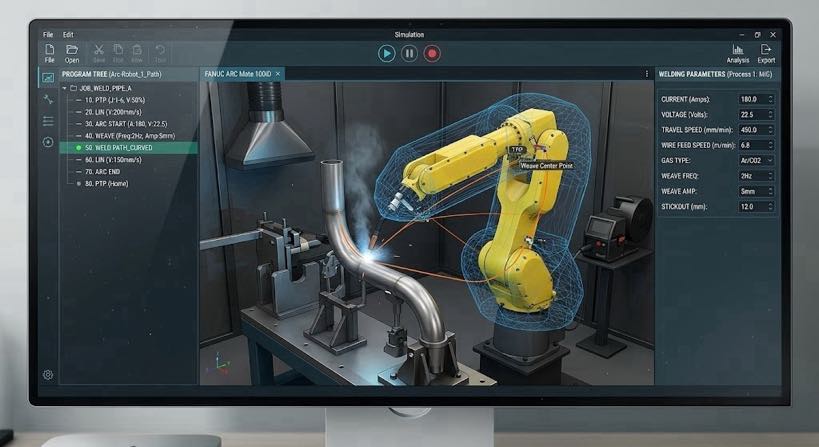
2. Complete 7-Step Programming Process (Practical Guide)
Step 1: Safety Preparation
Confirm safety fence doors are closed, all emergency stop buttons are reset, and wear proper protective equipment.
Step 2: Workpiece Fixturing & Positioning
Securely fix the workpiece on the positioner. Establish the workpiece coordinate system using a laser or teach pendant.
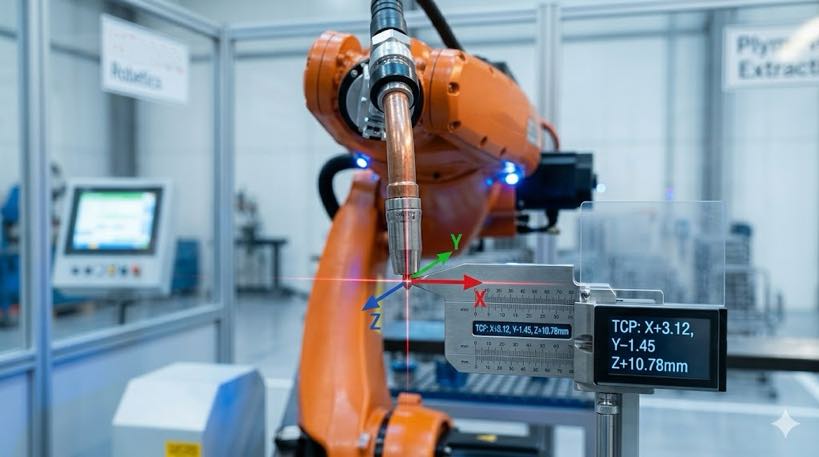
Step 3: Tool Center Point (TCP) Calibration
This is the most critical step. Use the 4-point or 6-point calibration method to ensure accurate torch tip positioning.
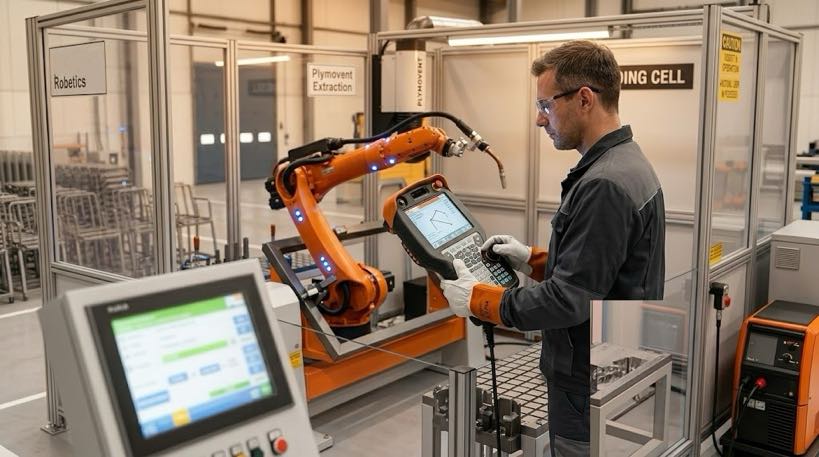
Step 4: Teach Welding Path
Use the teach pendant to move the robot to the weld start and end points. Record weld positions and insert Arc Start / Arc End commands.
Step 5: Set Welding Parameters
Enter current, voltage, wire feed speed, welding speed, weaving parameters, etc. Pulse MIG requires additional pulse parameter settings.
Step 6: Program Testing & Optimization
First run dry-run to check the path, then perform low-power test welding. Fine-tune parameters based on weld bead formation.
Step 7: Program Backup & Standardization
Save and backup the program. Establish standard templates for quick recall of similar parts.
3. Advanced Programming Techniques
• Seam Tracking
• Weaving
• Multi-layer multi-pass welding logic
• Synchronized motion programming with positioner and robot
4. Common Beginner Mistakes & Solutions
| Mistake | Consequence | Solution |
| TCP calibration inaccurate | Weld deviation, incorrect angle | Recalibrate using 4/6-point method1 |
| No parameter adjustment | Inconsistent weld quality on different thicknesses | Build parameter library, recall by workpiece |
| No program backup | Need to re-teach after accidental loss | Daily backup to USB or network |
| Ignoring stick-out variation | Affects weld formation | Maintain constant stick-out (typicall y 12-15mm) |
5. Recommended Learning Path & Training
Week 1: Master teach pendant basic operations and TCP calibration
Week 2: Complete simple linear and circular weld programming
Weeks 3-4: Complex paths, multi-layer welding, and parameter optimization
Recommended: Attend 2-3 day professional training from robot manufacturer or integrator
The programming barrier for robotic welding cells is continuously lowering. With systematic learning following the right methods, average technicians can become proficient in a short time. The widespread adoption of offline programming technology is making welding automation increasingly accessible.
If you encounter specific issues with robotic welding cell programming, please leave a comment with your robot brand and main welding part types, and we will provide targeted advice.
Data Sources:
– International Federation of Robotics (IFR) World Robotics Report
– ISO 10218-2 Robot System Integration Safety Standards
– Hands-on training experience from 1000+ deployed robotic welding cells
Author Identification
This article is based on the International Federation of Robotics (IFR) World Robotics Report 2025, American Welding Society (AWS) workforce data, and major manufacturer technology roadmaps.
Author:
An expert in robotic welding system integration with over 12 years of industry experience. My company has over 26 years of professional experience, holds more than 40 patented technologies, and has successfully completed over 1,500 projects worldwide (approximately 70% of which involved robotic welding cells, totaling more than 1,000 units). The company holds EU CE certification (Certificate No.: M.2026.206.C134866) and complies with the EN 60204-1:2018 and EN ISO 12100:2010 standards. I have assisted numerous manufacturing companies throughout the entire process of robotic welding workstation implementation, from selection to production launch.
Updated: May 2026
- What are the 4-point and 6-point methods?
4-point method: Approach the same reference point from 4 different directions to calculate TCP position
6-point method: Adds 2 more points with different orientations to calculate both position and direction
Simply put: Reteach the robot the exact tip position of the welding torch to ensure accurate seam alignment.
↩︎
RELATED POSTS

Anatomy of a Robotic Welding Cell: Core Components & Selection Guide (2026)
How to Integrate a Vision-Guided Robotic Welding cell into an Existing Fabrication Line
2026 Welding Automation Pain Points: Why Competitive Factories Are Choosing a Robot Positioner

A Comprehensive Comparison of Robotic Laser Welding vs. MIG and TIG Welding: Which One Is Right for You?
Coordinated Welding Cell: Positioner and Robot as One Kinematic Chain