Custom Robot Workstations And Laser Systems Manufacturer


Anatomy of a Robotic Welding Cell: Core Components & Selection Guide (2026)
What’s Actually Inside a Robotic Welding Cell?
If you’re considering a robotic welding cell, you’ve probably seen quite a few quotes. But have you noticed something: some quotes say $30,000, others say $120,000. Where does the difference come from?
The answer is in the components.
A complete robotic welding cell isn’t just “a robot plus a welder.” It’s like an orchestra: the robot is the lead violinist, the power source is the tuner, the positioner is the conductor — remove any one, and the whole performance falls apart.
This article will open up that “black box” and show you what’s inside, and what to look for when selecting each piece.
Six Components, No Shortcuts
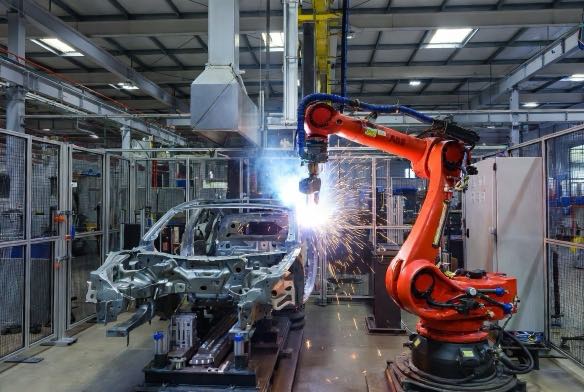
A production-ready robotic welding cell consists of six parts:
- ndustrial robot arm — does the physical work
- Welding power source & wire feede — melts the metal
- Positioner & tooling fixture — puts the part in the right spot
- Safety system — keeps people safe
- Control system & software — tells everything what to do
- Fume extraction system — keeps the air clean
Let’s break down each one.
Component 1: That Robotic “Arm”
What it is: A 6-axis articulated industrial robot — moves like a human arm. Six degrees of freedom means it can reach almost any position and orientation in its workspace.
Three numbers to watch:
- Payload: Welding robots typically range from 6kg to 20kg. Bigger isn’t always better — oversizing increases purchase and maintenance costs. Rule of thumb: Required payload = (torch + cable + wire feeder + sensor) × 1.2.
- Repeatability: ±0.05mm or ±0.1mm? That 0.05mm difference separates “pass” from “fail” in automotive parts. For structural steel, ±0.1mm works. But if you’re welding subframes or pressure vessels, spring for ±0.05mm.
- Reach: 1.4m or 2.0m? Measure your largest part. Can the robot reach the farthest weld seam? Positioners help, but don’t expect miracles.
One overlooked detail: Mounting type. Floor mount is standard, but inverted or wall mount sometimes works better — depending on your shop layout and parts.
Component 2: The Welding Power Source — Quietly Critical
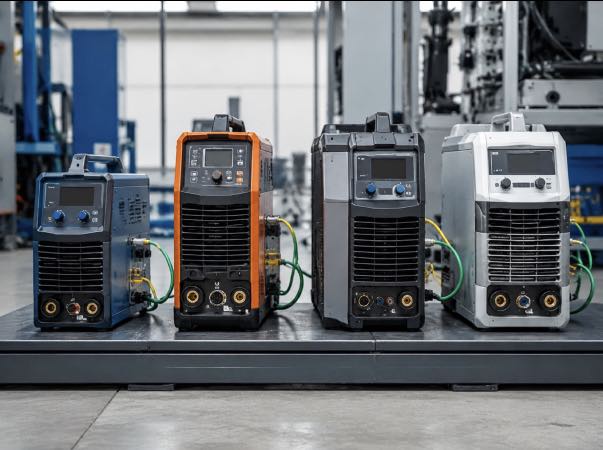
What it is: Supplies welding energy and controls current, voltage, wire speed, and gas flow. Must communicate with the robot in real-time — when the robot says “weld now,” the power source delivers the right parameters instantly.
Three questions to answer:
- Material and thickness?Under 3mm → 200A is fine. Over 10mm → need 400A+. Under-spec and you won’t penetrate; over-spec and you’re wasting money.
- Which process?MIG/MAG is most common. TIG for stainless and thin sheet. For aluminum, pulse MIG or Cold Metal Transfer (CMT) is almost mandatory — otherwise, spatter will drive you crazy.
- Communication protocol compatible? This is the biggest trap. Brand A robot + Brand B welder that don’t speak the same language → communication delays → unstable weld quality. Solution: same brand, or pre-validated cross-brand combination (DeviceNet, EtherNet/IP, etc.).
A worthwhile upgrade: Pulse MIG. Spatter drops by 50%+. Costs more, but pays off in cleanup time.
Component 3: The Positioner — Underrated Capacity Multiplier
What it does: Rotates and tilts the workpiece so the torch always hits at the optimal angle. With a two-station design, you can weld on one station while loading/unloading the other — uninterrupted welding.
Why it gets overlooked:
People focus on the robot. “Good robot = good system” — wrong. If your part needs welding on multiple sides and your positioner only has one axis, the robot constantly adjusts. Arc-on time drops from 80% to 50%. That’s a 40% productivity hit.
Two things to watch:
- Single or dual axis? Single rotates. Dual rotates + tilts. Dual costs more but handles complex parts an order of magnitude better. Pipe, frames, multi-sided parts → go dual.
- Payload capacity: Workpiece + fixture total weight. Rule: 1.5x safety factor. If your part weighs 200kg, spec a 300kg+ positioner. Learn from those who’ve watched a positioner struggle mid-weld.
Two more details:
- Repeatability: ±0.1mm to ±0.2mm. Low repeatability breaks seam finding — the robot aims correctly, but the part has already shifted.
- Robot synchronization: Positioner and robot must move together. Ask your integrator: “Can everything move simultaneously?” If the answer is “pause to rotate,” throughput takes a hit.
Component 4: The Safety System — Not Optional, It’s the Law
What it does: Fencing, light curtains, laser scanners, interlocked gates, e-stops — one goal: keep people out, let the machine work.
Why you can’t skip it:
Not just about “avoiding accidents.”ISO 10218-1 and ISO 10218-2 explicitly require safety systems for industrial robots. No compliance = no approval — from customer audits or local safety inspections.
Three tiers:
- Entry: Safety fencing + interlocked gate + e-stop. Works but takes floor space and is inconvenient for operators.
- Standard: Fencing + light curtain + interlock. Light curtains detect entry and trigger e-stop. Expensive and prone to false triggers from dust.
- High-end: Fencing + laser scanner + safety PLC. Scanners can set multiple zones — warning near the perimeter, e-stop on entry. Most flexible.
One exception: Collaborative robots in power/force limiting mode may reduce or eliminate fencing after a formal risk assessment. But warning signs, light curtains, and e-stops are still required — and the risk assessment itself isn’t DIY.
Component 5: Control System & Software — The Brain
What it includes: Robot controller, teach pendant, offline programming software, MES interface — the command center.
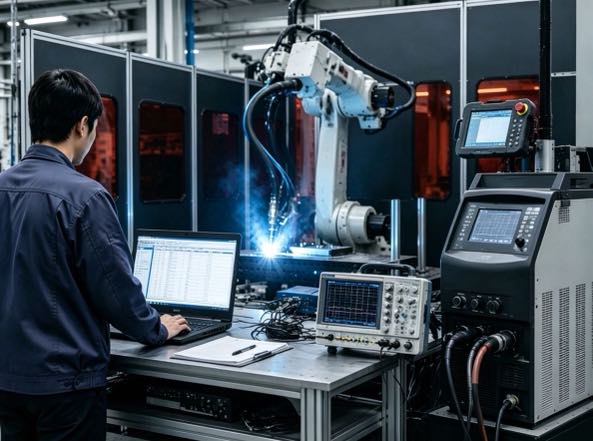
Three commonly misunderstood points:
First, a teach pendant doesn’t mean you can program.Learn the pendant — 1-2 weeks. No dedicated engineer? Consider lead-through cobots — 2-3 days of training.
Second, offline programming isn’t a luxury for high-mix shops. Plan paths on your PC, upload to the robot, run. Changeover from 2 hours to under 30 minutes. Calculate your annual time savings.
Third, MES interfaces cost money, but without them, you can’t pass certain audits.Automotive and Tier 1 customers often require full weld traceability — current, voltage, speed, time for every seam. No interface = no quote.
Leading OLP software: RobotStudio (ABB), Roboguide (Fanuc), Sim Pro (Yaskawa). Budget $3,000-8,000.
Component 6: Fume Extraction — Stops the Invisible Killer
What it does: Captures welding fumes at the source. Fumes contain chromium, nickel, manganese — long-term exposure causes “welder’s fever” and lung disease.
Two extraction methods:
- Torch-mounted nozzle: Extraction right at the arc — >95% efficiency. Trade-off: adds weight and bulk to the torch, potentially reducing robot agility.
- External extraction arm: Independent arm, 80-90% efficiency. Lower cost, suitable for lower fume volumes.
Why you need it: OSHA 29 CFR 1910.252 requires extraction for welding operations. Compliance aside — your employee’s lungs after 5 years vs. 10 years should matter to you.
Specs to check: Airflow 1,000-3,000 m³/h. HEPA H13+ (99.97% at 0.3 microns). Noise <75 dB — otherwise, operators leave with headaches.
One Table: What You Get at Each Budget Level
| Component | Low Budget ($30k-50k) | Standard ($60k-90k) | High-End ($100k-150k) |
| Robot | Domestic 6kg, ±0.08mm | Imported 10kg, ±0.05mm | Imported 20kg, ±0.05mm |
| Power Source | Domestic MIG 350A | Lincoln/Fronius MIG 400A pulse | Fronius TPS/i 500A + CMT |
| Positioner | Single-axis pneumatic, 200kg | Dual-axis servo, 500kg | Dual-axis servo, 1000kg+ HD |
| Safety | Basic fencing + e-stop | Fencing + light curtain + interlock | Fencing + laser scanner + safety PLC |
| Control | Basic teach pendant | OLP + standard MES | OLP + full data collection |
| Fume Extraction | Mobile standalone | Torch-mounted | Centralized + torch-mounted |
7 Questions to Ask Before You Get Quotes
Answer these first. Then talk to integrators. You’ll avoid being led around.
- Max part size and weight? → Reach and payload requirements
- What material? How thick? → Power source specs
- Annual welding hours? Batch sizes? → Two-station? Offline programming?
- Dedicated programmer on staff? → Teach pendant vs. lead-through
- Customer requires weld traceability? → MES interface needed?
- Available floor space? → Safety layout
- ISO or customer safety audits? → Safety system tier
The answers to these seven questions will determine your quote — and whether you end up with regrets.
Four Mistakes You Don’t Have to Make (Others Already Have)
Mistake 1: Spend big on the robot, cheap out on everything else
Result: Robot precision ±0.05mm, positioner precision ±0.2mm — overall accuracy dragged down by the weakest link. Usain Bolt in flip-flops.
Fix: Balance your budget. Positioners and tooling deserve as much attention as the robot.
Mistake 2: One round of tooling will be fine
Result: First tooling lacks rigidity — parts shift after a few welds. Three months of debugging, still unstable. Scrap and restart, costing thousands extra.
Fix: Budget for tooling iterations. Expect 1-2 rounds before finalization.
Mistake 3: Minimum safety spec — good enough
Result: Equipment arrives. Customer audit fails — fencing too low, no light curtains, e-stops non-compliant. Retrofit costs $20k-30k.
Fix: Configure to ISO 10218 from the start. Do it once, do it right.
Mistake 4: Incompatible power source and robot
Result: Communication delays → unstable weld parameters → inconsistent quality. Integration engineer spends two weeks on site, eventually swaps a communication module.
Fix: Before purchase, ask “What protocol? Has compatibility been validated?” Same-brand or pre-validated cross-brand only.
Next Step: Selection Is Just the Start
Understanding components is step one. What really determines success or failure is what happens during deployment.
Next up:
Real-World Applications of Robotic Welding Workstations in General Industry (2026) | Steel Structures / Agricultural Machinery / Metal Furniture
By sharing three real-world deployment cases from the steel structure, agricultural machinery, and metal furniture manufacturing sectors, complete with detailed data comparisons, this guide helps small and medium-sized manufacturing enterprises evaluate the return on investment.
Data Sources
International Federation of Robotics (IFR) – World Robotics Report 2024
International Organization for Standardization (ISO) – ISO 10218-1:2025, ISO 10218-2:2011
American Welding Society (AWS) – Welding Workforce Data
ABB, Fanuc, Yaskawa, KUKA – Public specifications (2025-2026)
Author Identification
This article is based on the International Federation of Robotics (IFR) World Robotics Report 2025, American Welding Society (AWS) workforce data, and major manufacturer technology roadmaps.
Author:
An expert in robotic welding system integration with over 12 years of industry experience. My company has over 26 years of professional experience, holds more than 40 patented technologies, and has successfully completed over 1,500 projects worldwide (approximately 70% of which involved robotic welding cells, totaling more than 1,000 units). The company holds EU CE certification (Certificate No.: M.2026.206.C134866) and complies with the EN 60204-1:2018 and EN ISO 12100:2010 standards. I have assisted numerous manufacturing companies throughout the entire process of robotic welding workstation implementation, from selection to production launch.
Updated: May 2026
RELATED POSTS
How Robotic Laser Welding Enables Automotive Lightweighting: From High-Strength Steel to Aluminum Bodies
Robot Positioner Buying Guide 2026:Match Your Budget to the Right System
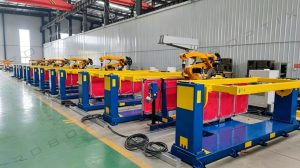
How to Choose the Right Robotic Welding Cell for Your Shop? Single-Station vs. Two-Station (2026 Complete Guide)
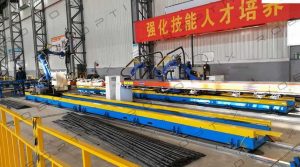
7th Axis Robot + Robotic Positioners: Building Complete Flexible Welding Cells
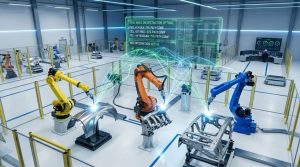
Robotic Laser Welding Mastery: 10 Practical Tips for Maximum Performance and ROI